Beecron Event Platform
Project Overview
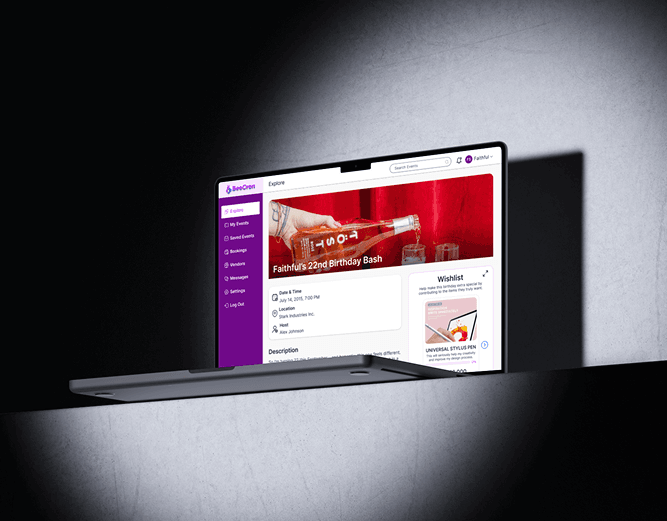
Beecron is a comprehensive event management platform designed to simplify how users create, discover, and manage events. The platform provides tailored experiences for its three main user types: admins, organizers, attendees (host or guest), and vendors to showcase their services, ensuring smooth event planning and participation from start to finish. It allows organizers to create and customize events, manage ticketing (including installment payments), track attendance, and communicate directly with guests, making event coordination seamless and intuitive.
Problem Statement
The event management landscape is fragmented. Organizers often juggle multiple tools for ticketing, promotion, and communication, while attendees struggle to find events that match their interests. For personal celebrations like birthdays, hosts often receive unwanted gifts, leading to waste and awkwardness. Furthermore, vendors lack a dedicated space to connect with organizers. This creates a disjointed and inefficient experience for everyone involved, leading to missed opportunities and administrative headaches.
Design Process
I followed a structured design process to ensure the platform was both user-friendly and feature-rich:
- Discover & Define: I began by researching the event tech market and defining the core user groups: organizers, attendees, and vendors. I identified their key pain points to establish a clear problem statement.
- Ideate & Structure: I mapped out user flows for critical tasks like creating an event, buying a ticket, and booking a vendor. This informed the information architecture and helped create a logical and scalable structure.
- Design & Prototype: I translated the flows into wireframes, focusing on a clean layout and intuitive navigation. These were then developed into high-fidelity UI designs and an interactive prototype to test and validate the user experience.
- Iterate: Based on feedback from the prototype, I refined the design to improve clarity, streamline workflows, and enhance the overall visual appeal.
Research Methodology
User Research
To understand the needs of our diverse user base, I conducted interviews with 5 participants, including event organizers and frequent attendees.
Key Questions
Key Findings
Landing page
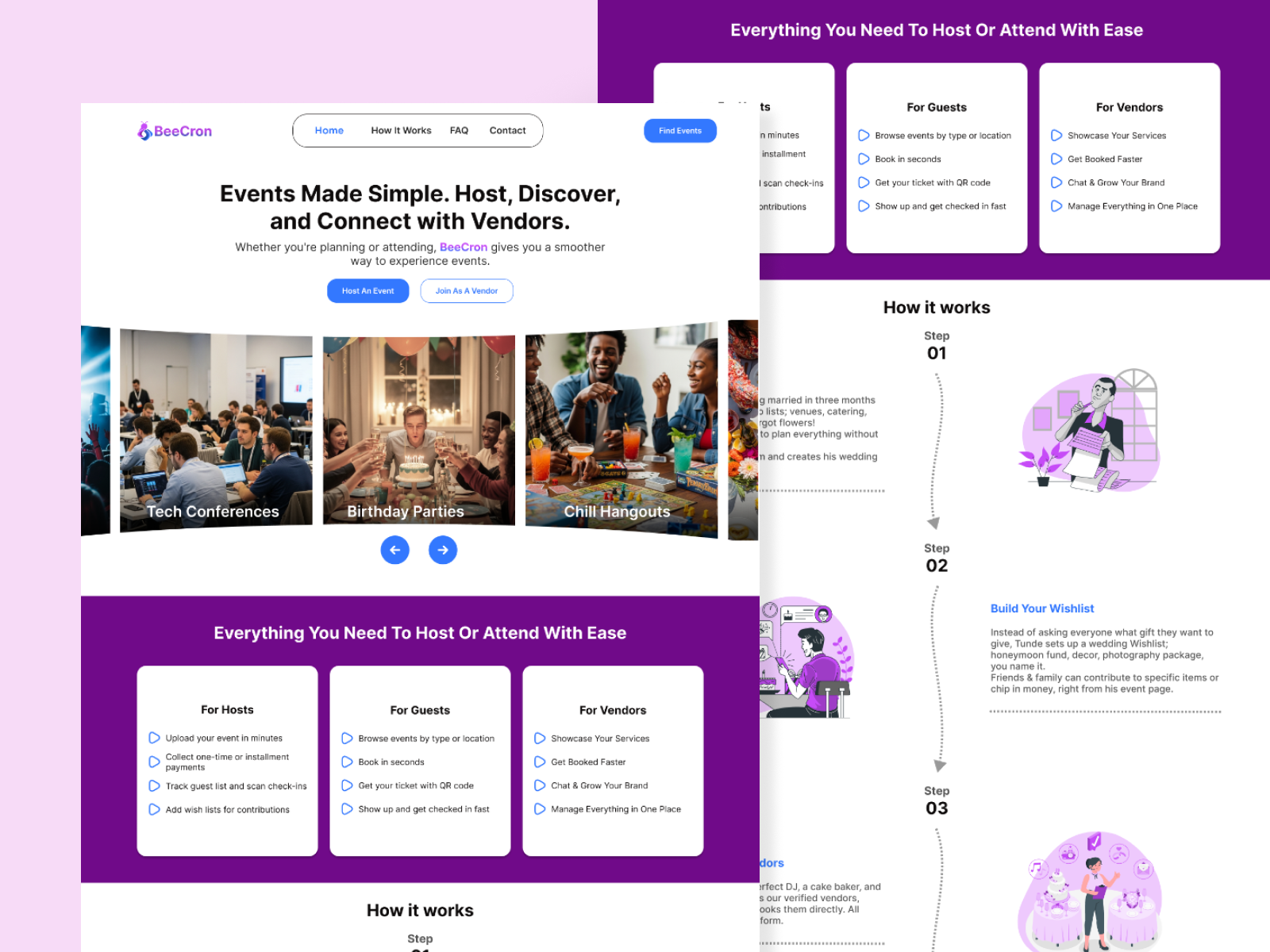
The landing page is the digital storefront for Beecron, serving as the first point of contact for potential users. Its primary goal is to clearly and quickly communicate the platform's core value proposition: simplifying event management for everyone. The design focuses on building immediate trust and guiding visitors toward key actions like signing up or logging in. A clean layout, compelling visuals, and concise messaging work together to tell the Beecron story and encourage users to explore the platform further.
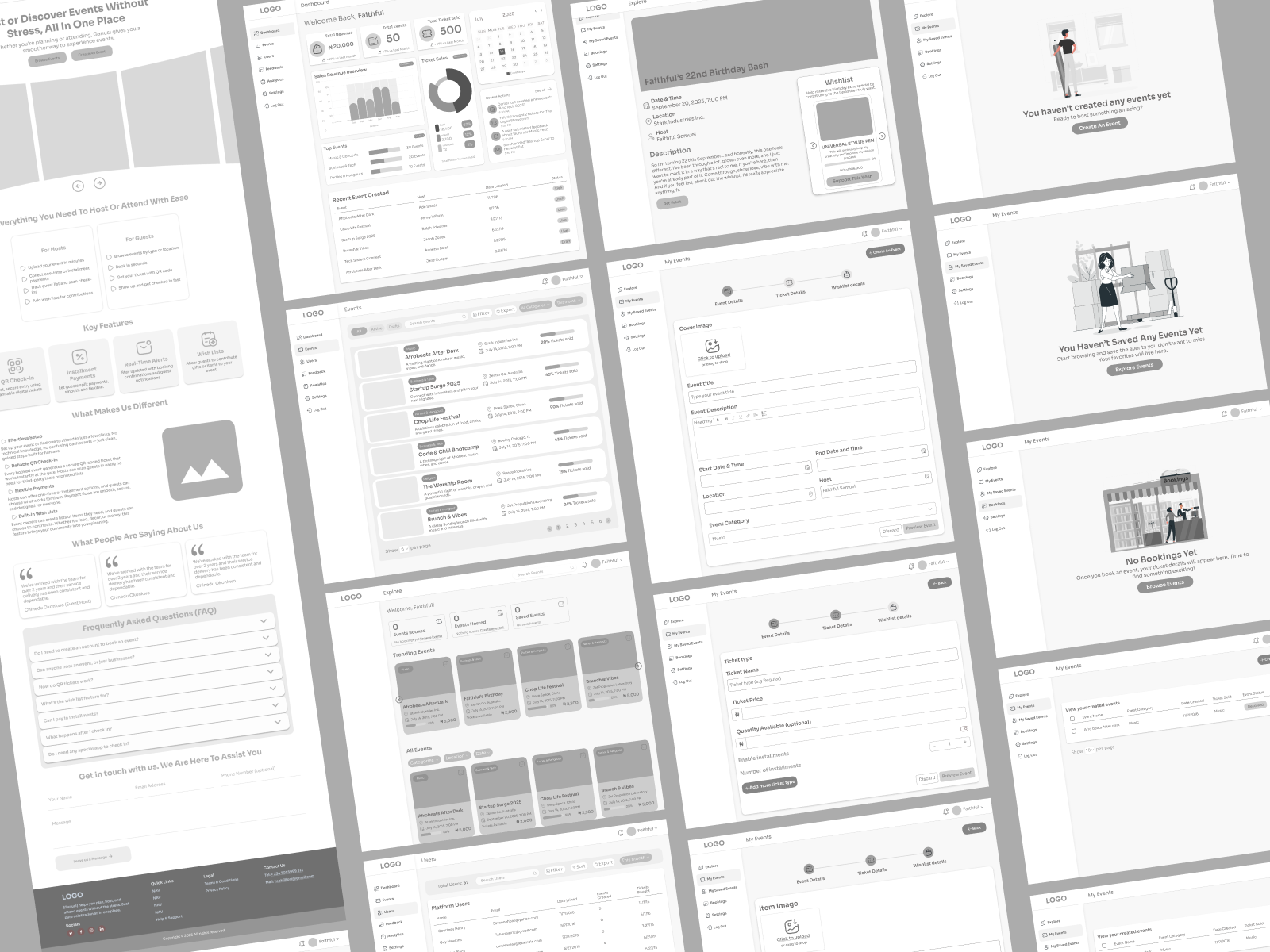
Wireframes
With the user flows and architecture defined, I created low-fidelity wireframes. This stage was crucial for mapping out the core screens - like the event creation form, attendee dashboard, and vendor profiles - and establishing a consistent layout before diving into visual design.
Final UI Design
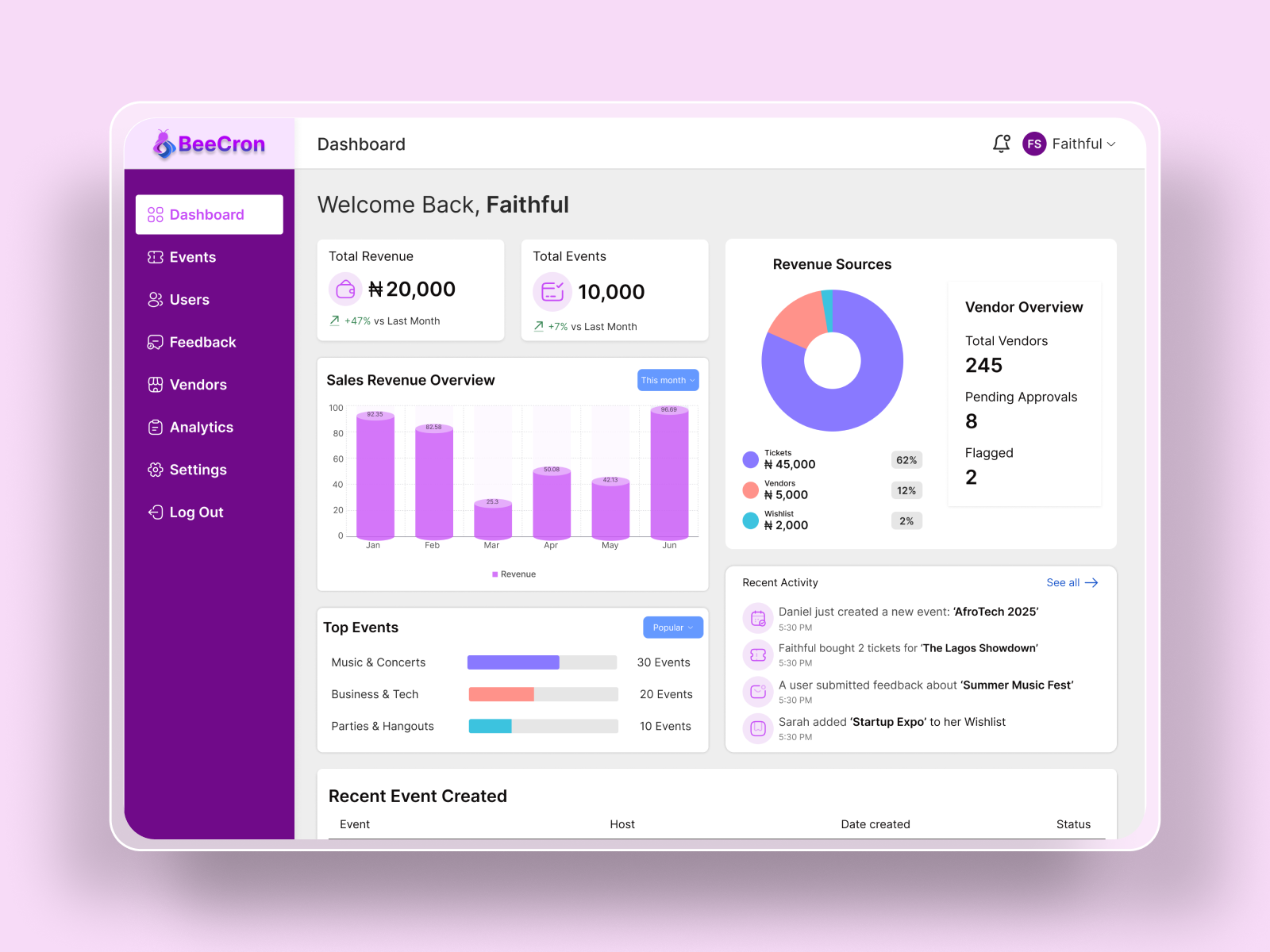
The final UI combines vibrant, energetic visuals with a clean, organized layout. The design focuses on clarity and engagement, using thoughtful interactions and a clear hierarchy to make event planning feel exciting and effortless. The color palette and typography were chosen to be modern, professional, and approachable.
Admin Dashboard
This dashboard is the command center for the platform owner. It provides a comprehensive overview of all activity, allowing them to monitor key metrics, manage users, and oversee events without needing developer intervention. The design prioritizes clarity and control, giving the admin the power to manage the entire ecosystem efficiently.
Vendor Dashboard
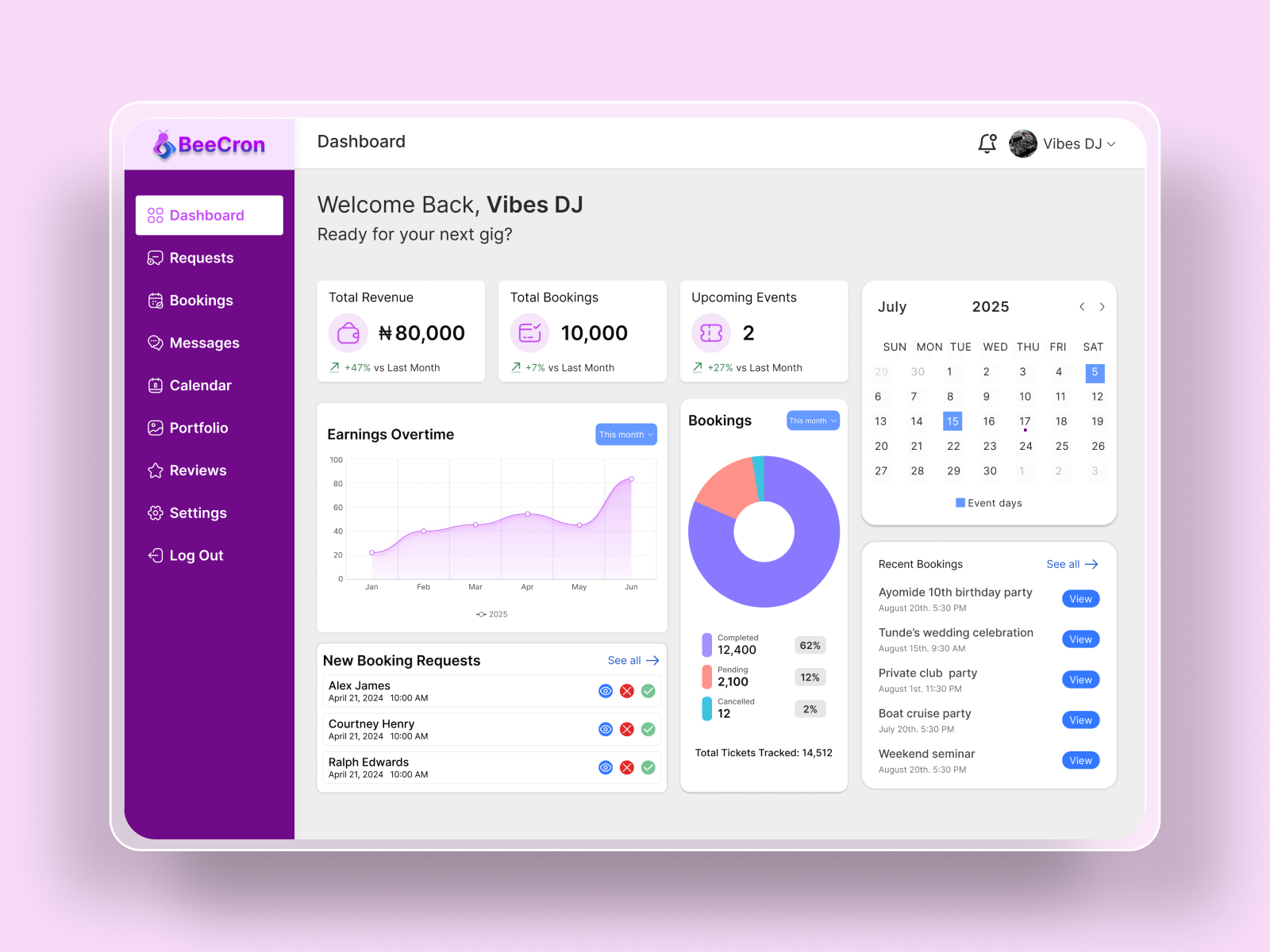
The vendor dashboard is a dedicated space that gives service providers full control over their profile and bookings. It's designed to provide clarity on their schedule, manage incoming requests, and showcase their services to event organizers. This empowers vendors to grow their business and connect with new clients seamlessly.
Creating an Event
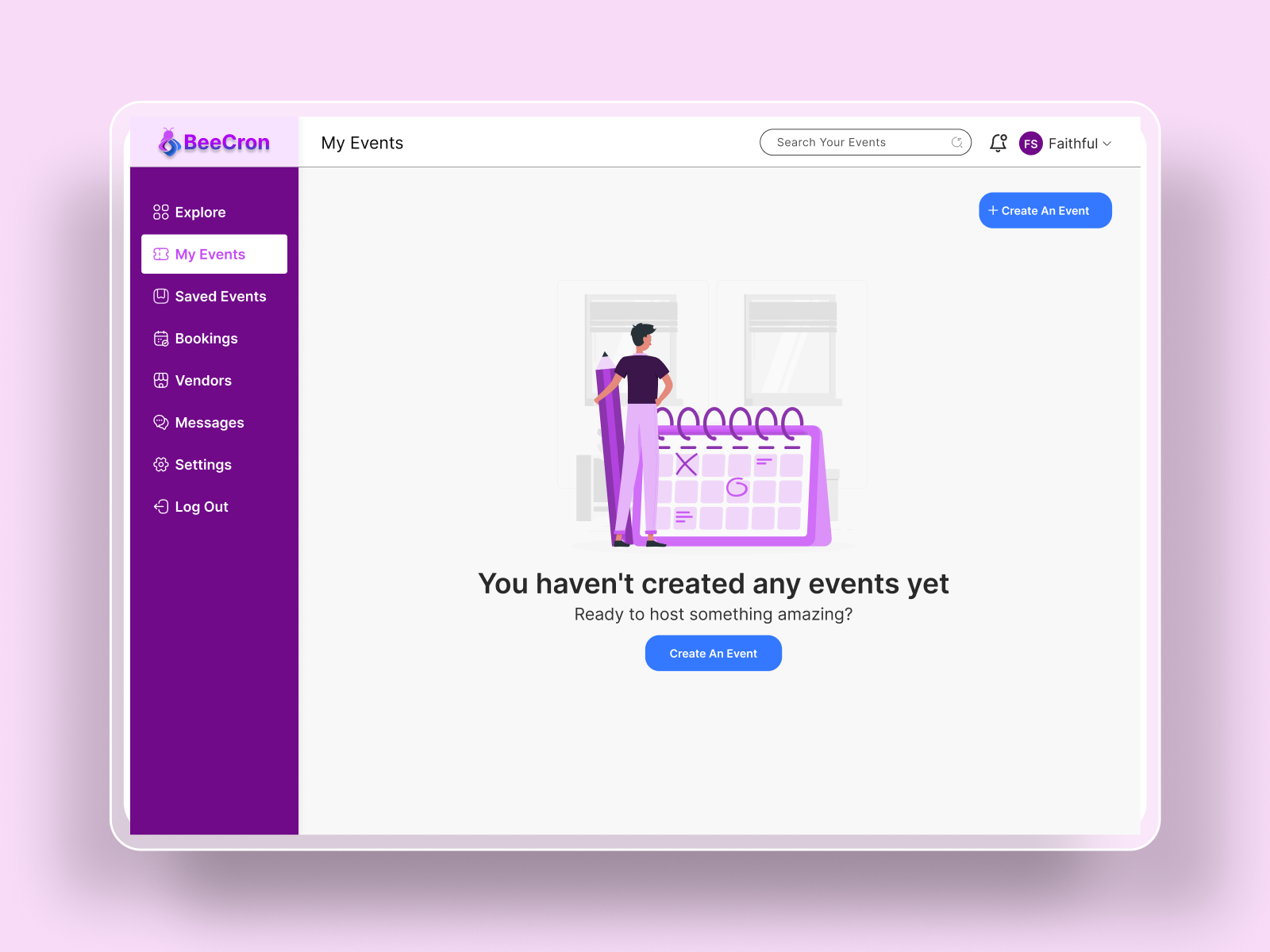
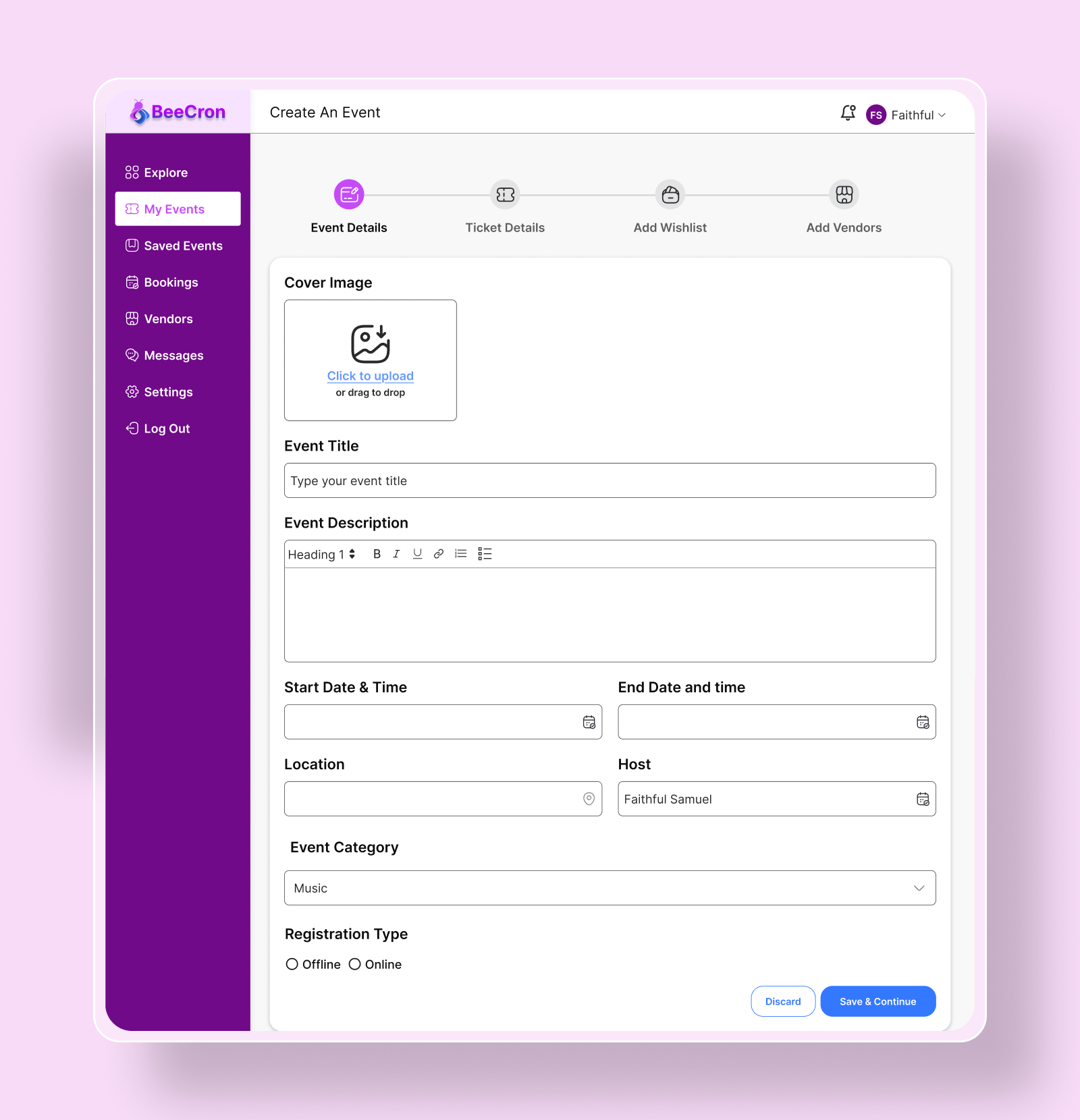
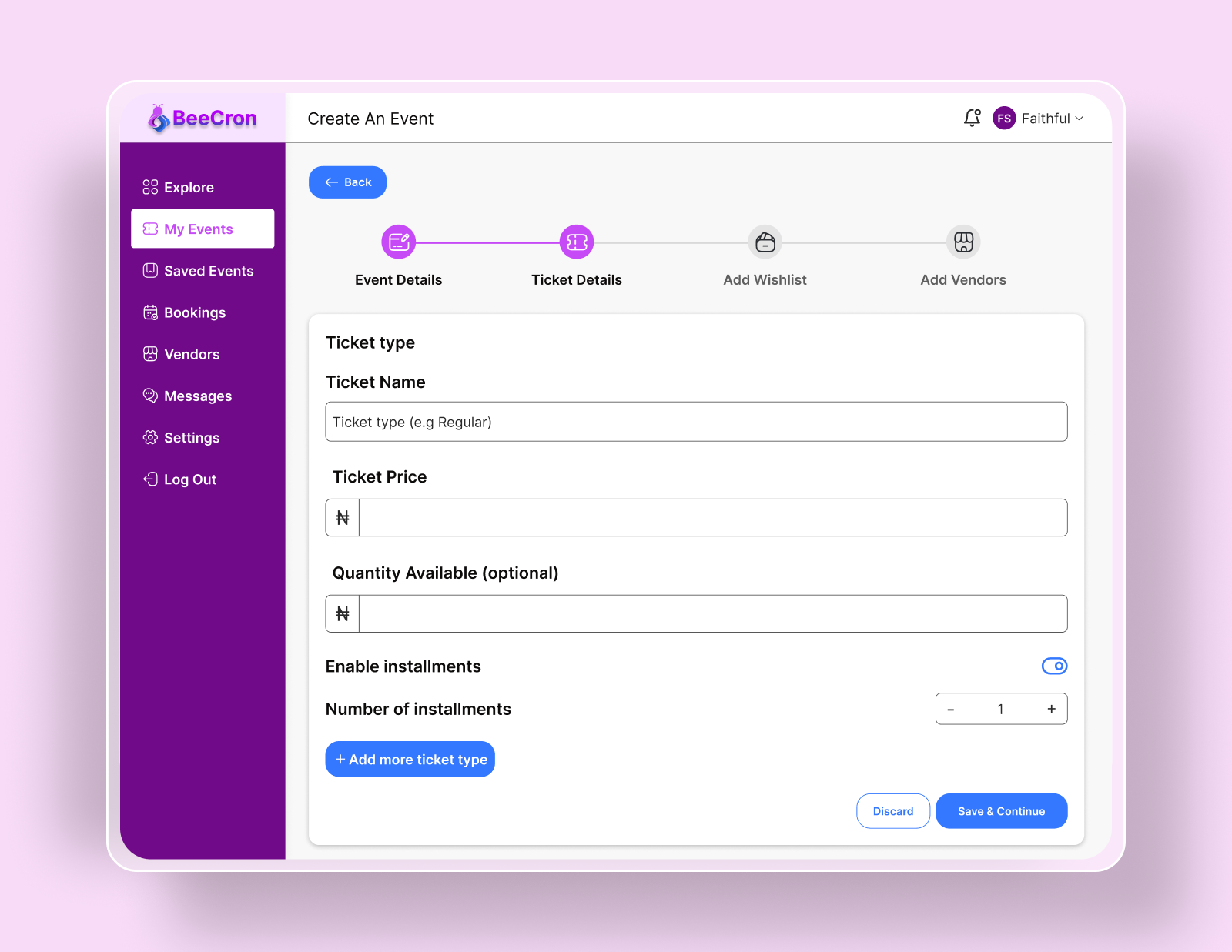
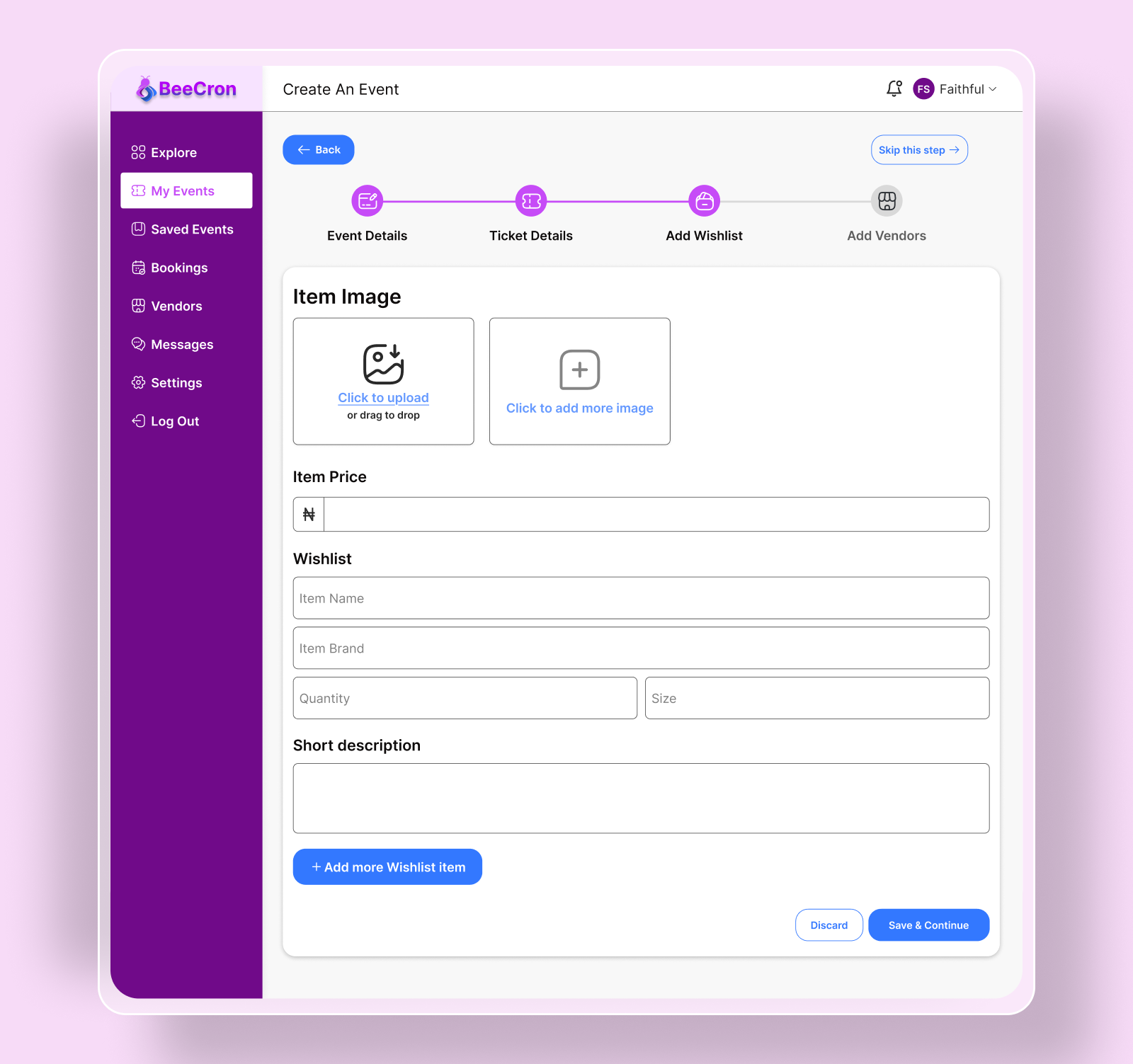
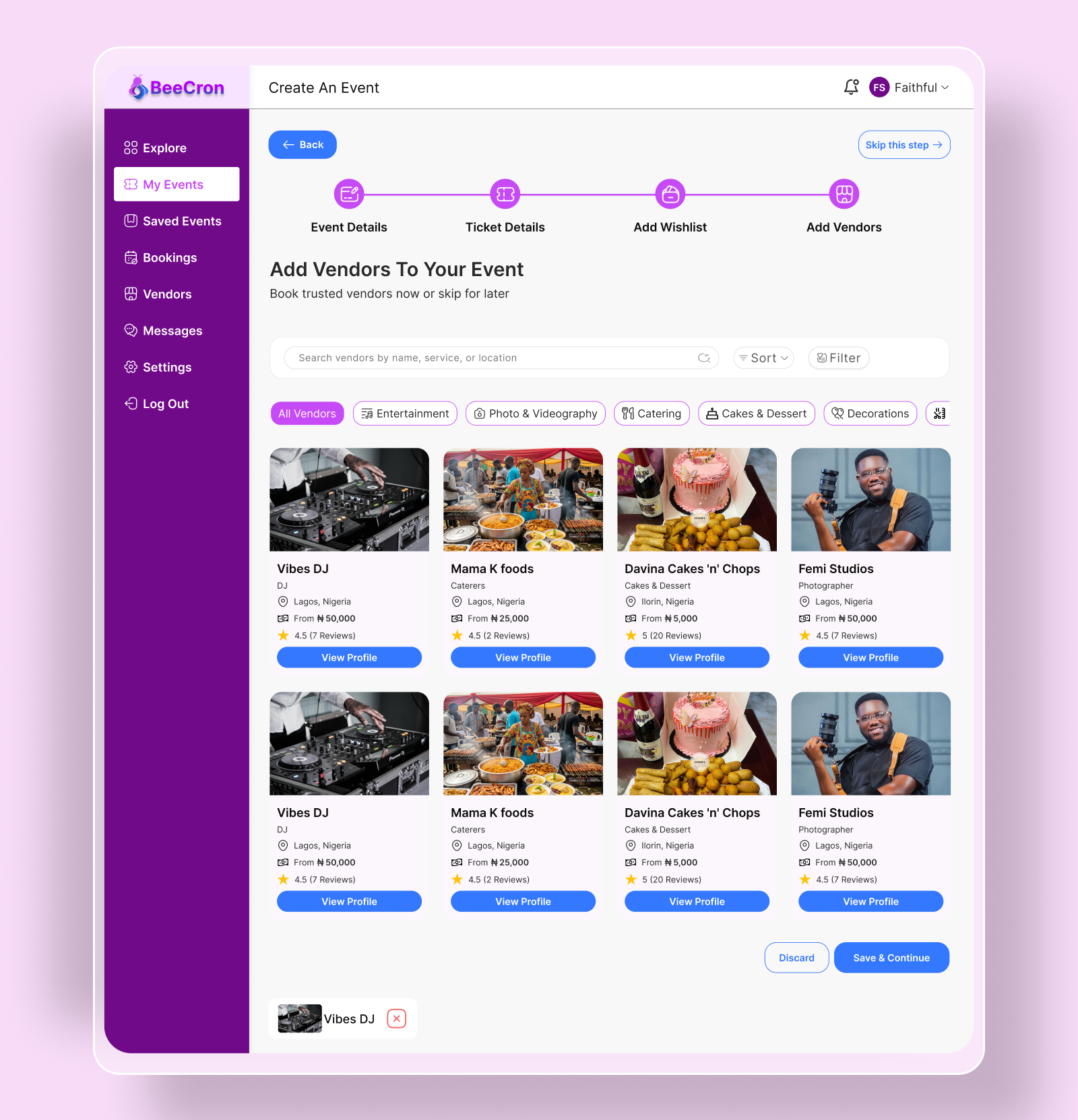
I designed the event creation process to be as intuitive and streamlined as possible. By breaking down the process into logical steps and using a clean, guided interface, organizers can set up a new event in minutes. The goal was to remove friction and complexity, allowing hosts to focus on the creative aspects of their event rather than getting bogged down in complicated forms. From basic details to ticketing and scheduling, every step is designed for clarity and efficiency.
Paying in Installments
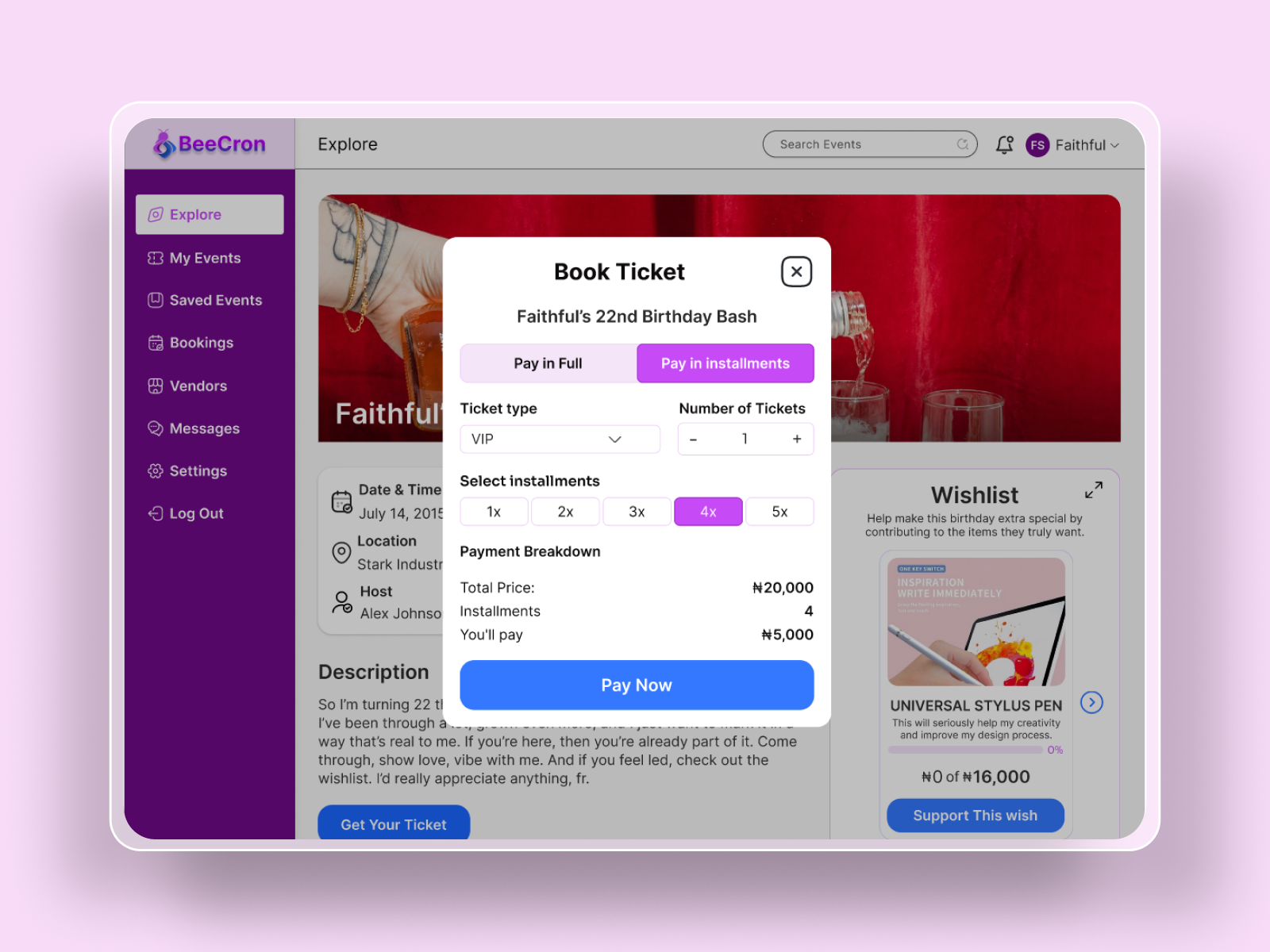
To make higher-priced events more accessible, the platform integrates an installment payment option. This allows attendees to spread the cost of a ticket over several payments, reducing financial barriers and increasing conversion rates for organizers. The feature is entirely optional and can be enabled by the event host, giving them full control over their ticketing strategy. This approach not only helps attendees manage their budget but also empowers organizers to sell more tickets.
Wishlist Feature
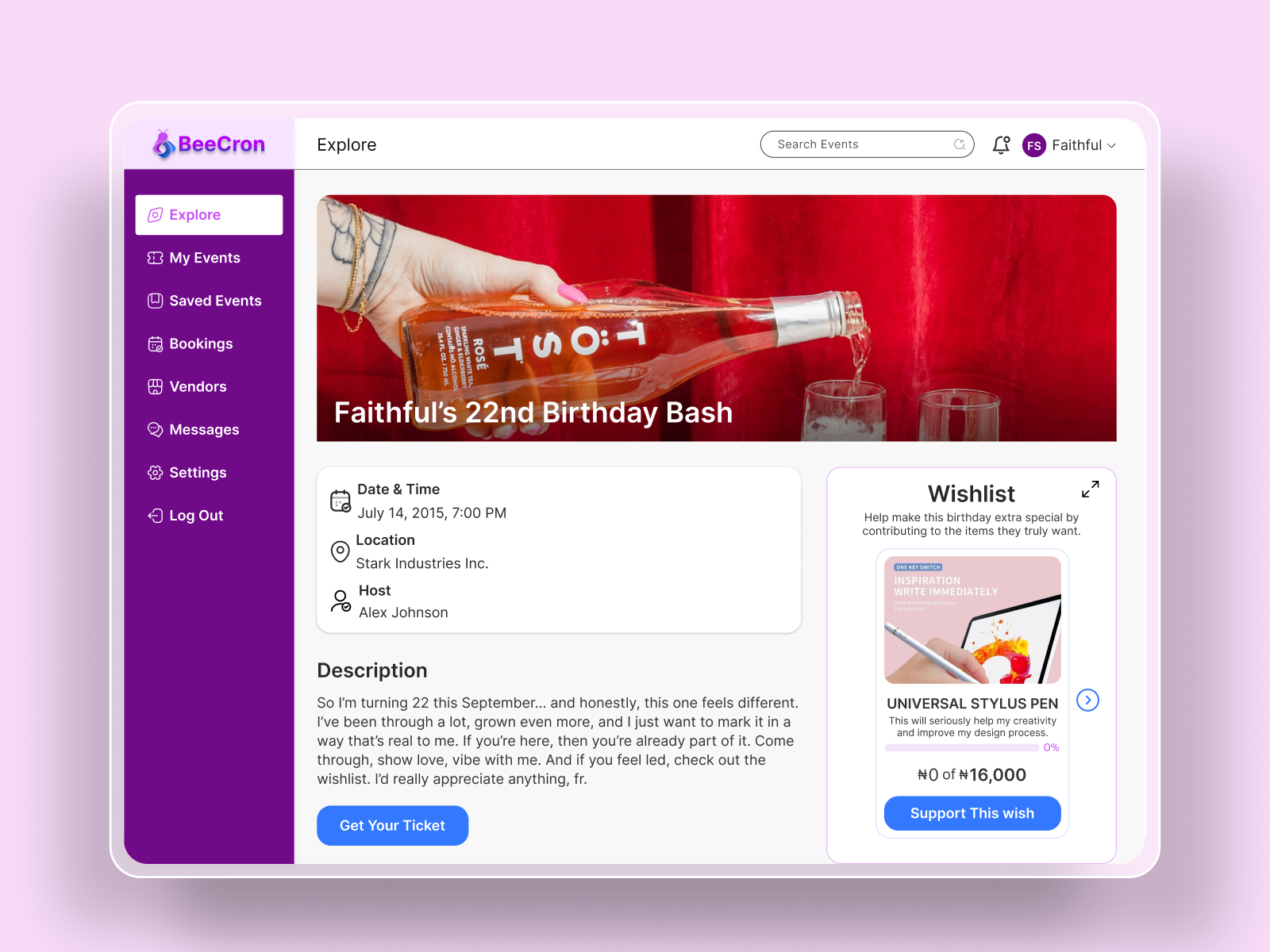
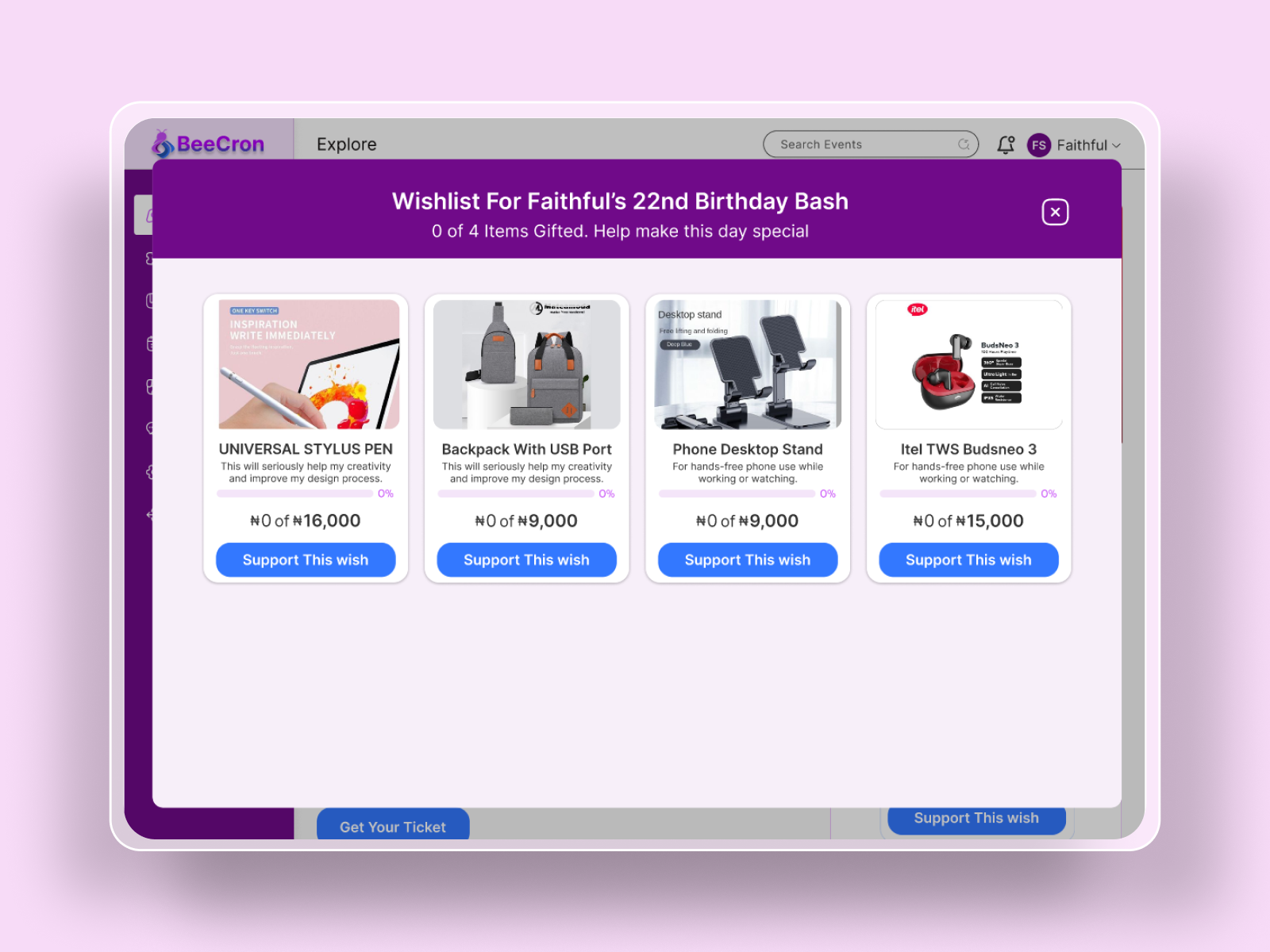
The wishlist feature bridges a significant gap in personal event planning, particularly for celebrations like birthdays and weddings. Instead of guests guessing what to bring, hosts can create a curated list of desired gifts. This ensures the host receives items they genuinely want and need, eliminating waste and the awkwardness of unwanted presents. For guests, it removes the stress of gift-giving by providing clear, host-approved options, making the experience more thoughtful and enjoyable for everyone involved.
Outcome
The final design successfully unified a complex set of features into a cohesive and intuitive platform. The tailored dashboards provide clear, role-specific tools for each user type, while the public-facing pages make discovering and attending events an engaging experience. The structured design ensures the platform is scalable and for future feature enhancements.
Future Improvements
The next phase would involve integrating more advanced social features, such as group wishlists. Additionally, building out a more robust analytics dashboard for organizers with real-time data would provide deeper insights into event performance and audience engagement.